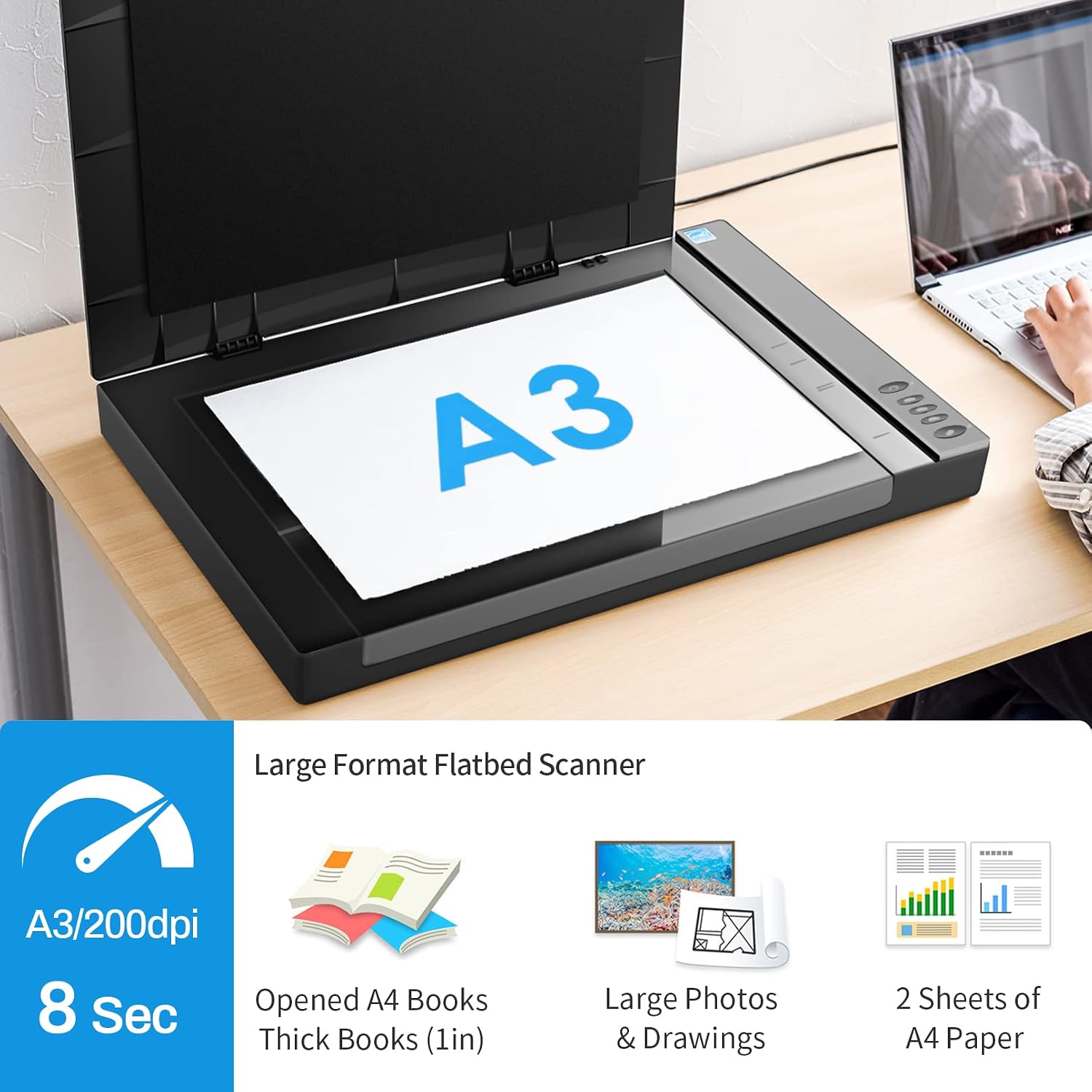
If you’re trying to scan something bigger than a standard letter or A4 page — a rolled architectural drawing, an oversized heritage photograph, a studio proof sheet, or a bound ledger — a regular desktop scanner simply won’t cover the surface area. That’s where A3 flatbed scanners come in. “A3” refers to the paper size 297 × 420 mm (roughly 11.7 × 16.5 inches), which is double the familiar A4 sheet. A flatbed scanner uses a glass platen (the flat scanning surface) over which a light-and-sensor assembly moves in a straight line, capturing the image one horizontal strip at a time. Unlike sheet-fed scanners that pull documents through rollers, a flatbed holds the original completely still — critical for fragile, bound, or irregularly shaped originals. This article walks through the two sensor technologies you’ll choose between, what the speed specifications actually mean in production, and a clear decision framework for architects, archivists, and print studios working with this format in 2026.
| EDITOR'S PICK[Colortrac SmartLF 36-inch wide…](https://www.amazon.com/dp/B016QRH95E?tag=greenflower20-20) | Mid-tier[Plustek OpticSlim 1680 - High S…](https://www.amazon.com/dp/B085DHRJXS?tag=greenflower20-20) | Budget pick[Plustek OS1180 - Flat Scanner f…](https://www.amazon.com/dp/B01MZXE0OV?tag=greenflower20-20) | |
|---|---|---|---|
| Max scan width | 36 inch | Tabloid | A3 |
| Speed | — | 3 sec per page | 9 sec per page |
| Dual view | — | ✓ | — |
| Document size | — | Tabloid | A3 |
| Price | $3,099.00 | $379.00 | $349.00 |
| See on Amazon → | See on Amazon → | See on Amazon → |
CCD vs. CIS: The Sensor Choice That Shapes Everything
The single most consequential spec in an A3 flatbed isn’t resolution or color depth — it’s the sensor technology underneath the glass. Every flatbed uses one of two approaches, and the tradeoffs are substantial.
CCD (charge-coupled device) sensors use a system of mirrors and lenses to focus reflected light onto a linear array of light-sensitive elements. The optical path requires physical depth, which is why CCD-based scanners have a thicker body. That depth pays dividends: CCD systems maintain sharpness even when the original isn’t perfectly flat against the glass — a gap of a few millimeters introduces only minor softness. This matters enormously when scanning bound books, warped prints, or embossed architectural drawings that can’t be pressed fully flat. CCD also handles a wider dynamic range (the range from the deepest shadow detail to the brightest highlight before detail is lost), which is why it remains the standard for fine-art reproduction and archival work.
CIS (contact image sensor) places the sensor elements directly against the glass with no mirrors or lenses in the light path. The result is a thinner, lighter, lower-power unit that typically costs less. The tradeoff is a razor-thin depth of field — documents must lie essentially flat, or focus degrades rapidly. CIS sensors have improved meaningfully over the past decade, and for flat, unbound originals they produce excellent results. But for anything with relief, curl, or binding, CIS is the wrong tool.
B&H Photo’s Explora editorial team has written clearly on this distinction, noting that CIS units are well-suited for high-volume flat document throughput but consistently underperform CCD on originals with any surface variation.
By the numbers — sensor comparison at a glance:
| Factor | CCD (e.g., Epson 12000XL) | CIS (e.g., Canon imageFORMULA) |
|---|---|---|
| Depth of field | ~5–10 mm usable | ~1–2 mm usable |
| Dynamic range (typical Dmax) | 3.8–4.0+ | 2.8–3.4 |
| Body thickness | 100–150 mm | 40–70 mm |
| Price range (A3 class) | $800–$2,500+ | $300–$900 |
What “Optical Resolution” Actually Delivers at A3 Size
Resolution specs on A3 scanners are where marketing language diverges most sharply from production reality. Manufacturers list optical resolution — the true resolving power of the sensor — alongside interpolated resolution, which is software-generated upsampling and should be ignored for any professional workflow.
For A3 flatbeds, optical resolution is typically quoted as two numbers (e.g., 1200 × 2400 dpi), where the first figure is the sensor’s true horizontal resolution and the second reflects the precision of the stepper motor moving the sensor head along the scan axis. The lower of the two numbers defines your actual resolving capability for most scans. Imaging Resource’s coverage of professional flatbeds consistently flags this: the motor-axis number is frequently marketing padding.
What resolution do you actually need?
- Architectural drawings (line art, blueprints): 400–600 dpi optical is sufficient for most reproduction and PDF archiving. Line art compresses cleanly at these resolutions, and file sizes remain manageable.
- Archival photographic prints: FADGI’s Technical Guidelines for Digitizing Cultural Heritage Materials (Third Edition) recommend a minimum of 400 dpi for photographic prints up to 8×10 inches and proportionally lower for larger originals where the effective spatial frequency stays constant. For A3-sized prints, 300–400 dpi typically satisfies FADGI’s “three-star” quality tier.
- Color fine-art reproduction: 600–800 dpi optical captures grain and brushstroke texture in most photographic and painted originals. Beyond 800 dpi, the limiting factor usually becomes the original’s own surface texture rather than scanner resolution.
- Film originals: Not what A3 flatbeds are designed for — dedicated film scanners with 2400–4000+ dpi optics are the right tool for 35 mm or medium format.
ISO 19264-1, the international standard for archiving systems quality analysis, provides a structured methodology for evaluating scanner output against target image quality metrics. If you’re building a workflow that needs to pass an institutional compliance review, ISO 19264-1 gives you the measurement framework to specify exactly what your scanner must deliver — and to document that it does.
Speed: The Gap Between the Spec Sheet and the Production Floor
A3 scanner speed is almost universally quoted in a way that flatters the hardware. The published figure — typically expressed in seconds per scan at a given resolution — reflects a single scan of a letter-sized area at the manufacturer’s tested resolution, under optimal conditions, with no software post-processing. When you move to A3 glass coverage, that number climbs, sometimes dramatically.
PCMag’s review of the Epson Expression 12000XL — one of the most widely specified CCD A3 flatbeds in the $800–$1,000 range — notes that at 600 dpi color, A3 scan times run considerably longer than the headline figure suggests, with full-bed color scans taking two to three minutes depending on USB vs. network connection and the host computer’s processing load. For a studio scanning 50 items a day, that math compounds quickly.
The variables that actually govern throughput in production:
- Resolution: Doubling dpi quadruples file size and roughly doubles scan time. Going from 300 to 600 dpi on a full A3 bed is not a linear cost.
- Color depth: 48-bit color scans (16 bits per channel) take meaningfully longer than 24-bit and produce files two to three times larger. For most output workflows, 24-bit is sufficient; 48-bit is worth the overhead only when significant post-processing in Photoshop or a color-managed archival workflow is planned.
- Interface: USB 3.0 connections outperform USB 2.0 noticeably on large files. Network-connected scanners (useful for multi-user studios) add latency. Firewire is essentially gone from current production hardware.
- Software processing: TWAIN drivers (the standard software bridge between scanner hardware and applications) that include automatic dust removal, color correction, or deskew add processing time on the host machine. Turning off automated corrections and handling those steps in batch post-processing often improves practical throughput.
- Warm-up time: CCD lamps need a warm-up period (typically 30–60 seconds after idle) to stabilize color output. CIS units light instantly but have no grace period — if the lamp degrades, color shifts immediately.
For print studios running production volume, operators in long-run workflow reviews consistently recommend benchmarking your specific resolution and file-type combination before committing to a scanner — not relying on the spec sheet figure.
Key Models Worth Evaluating in 2026
The A3 CCD flatbed market is narrow. A handful of models dominate institutional and professional purchasing.
Epson Expression 12000XL (~$850–$950 street): The most commonly specified entry in this class. CCD sensor, 2400 dpi optical, A3+ glass. Reviewers at PCMag and Imaging Resource consistently rate it as the value anchor for the category — strong color accuracy, well-supported TWAIN and ISIS drivers, broad compatibility with Kofax and ABBYY workflows. The primary criticism across aggregated owner feedback is fan noise at sustained use and driver installation complexity on Windows 11.
Epson Perfection V850 Pro (~$1,100): Technically an A4-plus unit with a slightly narrower platen, but worth mentioning because it is frequently misidentified as an A3 competitor. It is the stronger film scanner — dual-lens system, higher Dmax — but it will not cover a full A3 sheet. Confirm your platen dimensions before specifying it.
Canon imageFORMULA series (A3 CIS variants, ~$400–$700): Solid for flat document throughput. The CIS limitation on depth of field is real and acknowledged by Canon’s own product positioning, which emphasizes high-speed flat document workflows over archival or artistic applications.
Mustek A3 USB series (~$300–$500): Budget CIS units that appear in price-sensitive procurement. Owners consistently report adequate results for flat originals at moderate resolutions, but color accuracy and driver support lag the Epson tier meaningfully. Not appropriate for FADGI-compliant archival workflows.
For production-class archival work at institutional scale — museum digitization programs, architectural record repositories — procurement typically moves above this tier to dedicated large-format drum or overhead camera systems. The A3 flatbed category serves the professional middle: serious resolution and color fidelity at a price that a studio, small firm, or departmental budget can absorb.
Decision Rules: If X, Then Y
If you’re closing a purchase decision, here’s the framework distilled from the spec and workflow analysis above:
If your originals include bound materials, warped prints, or anything with surface relief → CCD is mandatory. The Epson 12000XL is the practical choice at the value end; there is no CIS substitute that handles depth of field adequately for these applications.
If you’re running a flat-document digitization project at volume (leases, contracts, engineering submittals that are already unbound and flat) → CIS is acceptable and meaningfully cheaper. Evaluate the Canon imageFORMULA A3 options first.
If your workflow needs to satisfy FADGI three-star or ISO 19264-1 documentation → You need CCD, 400 dpi minimum optical, and a scanner with a documented color calibration path (IT8 target support or equivalent). The Epson 12000XL meets this bar. Budget CIS units do not.
If speed is the primary constraint and quality is secondary → Benchmark your actual resolution requirement first. Running a 300 dpi scan instead of 600 dpi cuts scan time and file size by roughly 75% with no perceptible quality loss for most document archiving purposes. The hardware choice matters less than dialing the resolution to the minimum your output workflow actually requires.
If budget is the binding constraint and originals are flat → The Mustek-tier CIS units will produce usable output. Be explicit with stakeholders about the color accuracy and compliance limitations before committing.
The A3 flatbed category hasn’t seen dramatic new entrants in 2025–2026; the Epson 12000XL has held the CCD value position for several product cycles, and that stability is itself a signal — driver support is mature, consumables (lamps) are available, and the institutional user base is large enough that forum-based troubleshooting resources are abundant. That’s worth factoring into a total cost of ownership calculation alongside the purchase price.