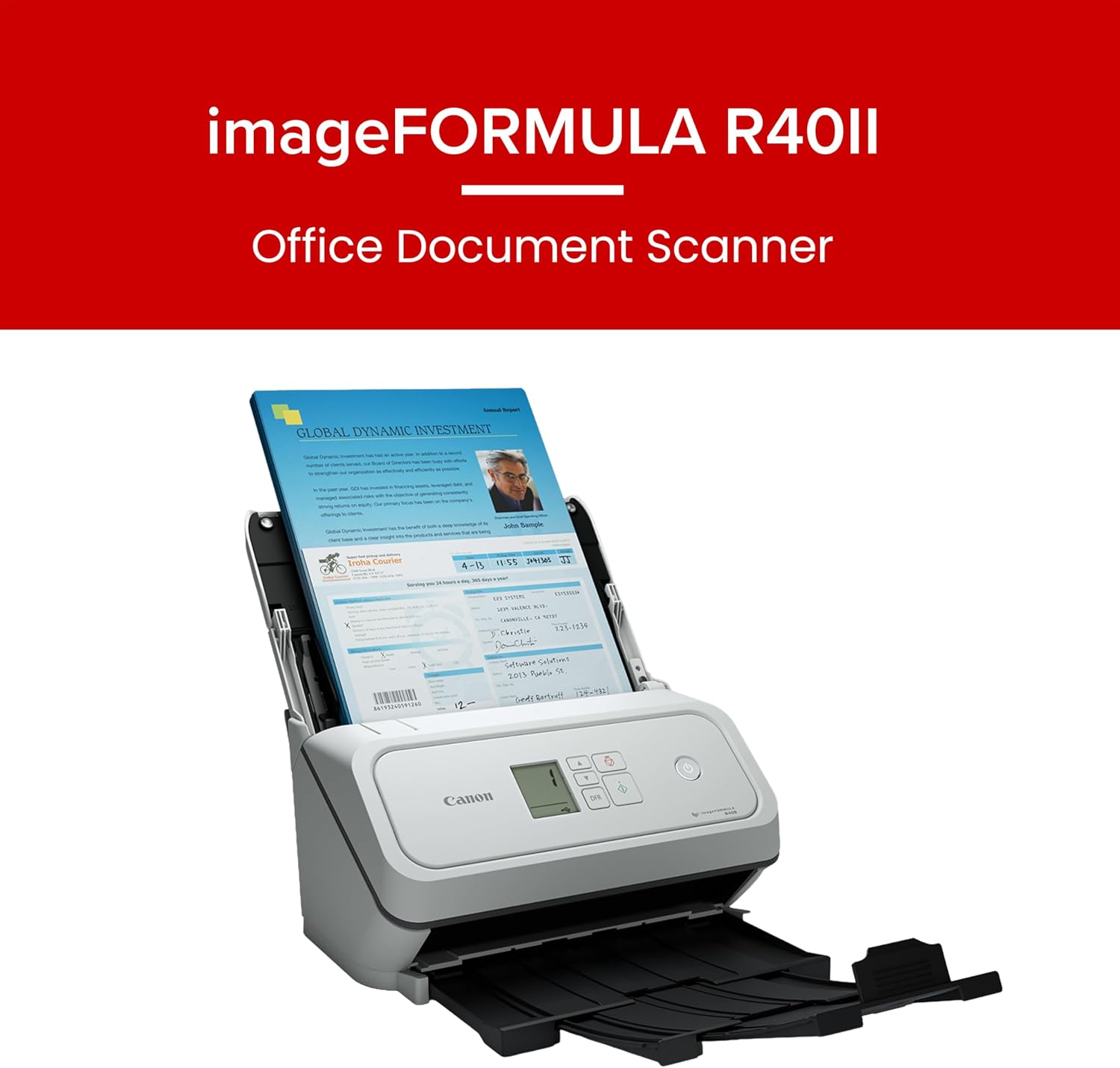
If the scanner on your desk takes two minutes to chew through a stack of double-sided intake forms, that’s not a spec-sheet problem — it’s a workflow problem. An ADF (Automatic Document Feeder) is the tray that pulls pages in and feeds them through the scanner automatically, so you’re not standing there flipping paper one sheet at a time. Duplex scanning means the machine captures both sides of each sheet in a single pass, without you manually turning pages over. Those two features together are what turn a consumer flatbed scanner into something an office can actually rely on. But here’s the catch: manufacturers quote throughput (pages per minute, or ppm) under ideal lab conditions — letter-size, 200 dpi, nothing fancy. Drop a mix of legal-size documents, 300 dpi color scans, and double-sided contracts into the same machine under a real deadline, and that rated speed can drop significantly. This guide unpacks what those numbers really mean, compares the leading desktop models head-to-head, and gives you a clear decision framework for matching a scanner to your actual load.
Why Rated Speed and Real-World Speed Diverge
Every scanner spec sheet lists a peak throughput figure. The Epson WorkForce ES-400 II, for instance, is rated at 35 ppm / 70 ipm (images per minute — where a double-sided page counts as two images). The Fujitsu ScanSnap iX1300 is rated at 30 ppm. The Canon imageFORMULA DR-C230 is rated at 30 ppm duplex. Those numbers look close together on paper, but they’re measured under conditions that almost never match a real office scan job.
Here’s what actually degrades throughput in practice:
Resolution creep. Most offices scan contracts and forms at 300 dpi rather than the 200 dpi used for speed ratings. At 300 dpi color duplex, operators in long-run reviews note that throughput on midrange desktop models typically falls 20–35% below the rated figure. The processor and USB/WiFi pipe are the bottleneck, not the physical feed mechanism.
File format overhead. Scanning to searchable PDF (using OCR — optical character recognition, which converts a scanned image into selectable text) adds processing time either on the scanner’s internal CPU or on the host PC. PCMag’s scanner category coverage notes that this overhead is frequently invisible in spec comparisons because manufacturers rate raw image capture, not finished file delivery.
Mixed media. A stack of 50 pages that includes business cards, folded receipts, and standard letter sheets will trigger more careful feeding, slowing the ADF’s roller mechanism. Document Imaging Report’s industry analysis highlights that double-feed detection sensors (which stop the feed when two pages stick together) add micro-pauses that compound across large batches.
Duty cycle proximity. Every desktop scanner has a recommended daily volume — a page count the manufacturer considers sustainable without accelerating wear. Running a scanner rated for 1,500 pages/day at 2,500 pages consistently is how you meet the repair tech earlier than you’d like.
The practical upshot: when you’re choosing between models priced $300–$600, don’t just compare the headline ppm number. Compare the combination of rated speed, daily duty cycle, and ADF capacity (how many sheets fit in the feeder tray at once).
The Contenders: Specs That Matter
Here’s a direct comparison of the four models that appear most consistently in procurement discussions for small-to-midsize offices in 2026:
By the numbers
| Model | Rated Speed (duplex) | ADF Capacity | Recommended Daily Vol. | Street Price (May 2026) |
|---|---|---|---|---|
| Epson WorkForce ES-400 II | 70 ipm | 50 sheets | 4,000 pages/day | ~$300 |
| Fujitsu ScanSnap iX1300 | 60 ipm | 20 sheets (U-turn) | 750 pages/day | ~$400 |
| Canon imageFORMULA DR-C230 | 60 ipm | 60 sheets | 3,000 pages/day | ~$275 |
| Kodak Alaris S2080w | 80 ipm | 80 sheets | 5,000 pages/day | ~$695 |
ipm = images per minute (both sides of a duplex sheet = 2 images). Street prices based on major US reseller listings, May 2026.
A few things jump out immediately when you look at this table together rather than one model at a time.
The Fujitsu ScanSnap iX1300’s daily volume ceiling is dramatically lower than its speed rating implies. At 30 ppm, it could theoretically push through 750 pages in about 25 minutes of continuous scanning. That’s exactly its recommended daily limit. It’s not a high-volume workhorse — it’s a personal or light-shared desktop scanner that Fujitsu designed for individual professionals scanning contracts, receipts, and occasional document batches. Operators in long-run reviews consistently flag the 20-sheet U-turn feeder as the real constraint: you’re refilling it constantly in any batch job over 60 pages. The ScanSnap iX1300’s strengths — seamless cloud integration, a minimal footprint that fits on a cramped desk, and genuinely polished software — are real, but they’re for a different buyer than the one processing 400 pages a morning.
The Canon DR-C230 is the value-throughput leader in the sub-$300 bracket. A 60-sheet ADF capacity and 3,000-page daily volume for ~$275 is difficult to argue with. PCMag’s coverage of the DR-C230 series notes that Canon’s feeding mechanism handles mixed-weight stacks — thin receipts alongside card stock — more reliably than comparably priced competitors, attributable to the model’s contact image sensor (CIS) design and the feeder’s adjustable guides. The trade-off is software: Canon’s bundled capture software is functional but noticeably less refined than Fujitsu’s ScanSnap ecosystem or Epson’s Document Capture Pro.
The Epson WorkForce ES-400 II splits the difference usefully. At $300 with a 4,000-page daily volume and 50-sheet ADF, it competes directly with the Canon on capacity while offering noticeably better bundled software (Epson Document Capture Pro supports ISIS driver connectivity — a middleware standard used by most enterprise document management platforms like Kofax and OpenText). For a small office already running a DMS (document management system), ISIS compatibility matters. Epson America’s published specifications confirm dual ultrasonic double-feed detection on this model, which reduces the manual intervention penalty during long runs.
The Kodak Alaris S2080w is the step up that earns its premium. At ~$695, it’s roughly 2× the DR-C230’s price, but the 5,000-page daily volume and 80-sheet ADF push it into a different workload category. Document Imaging Report’s analysis of the Alaris S2000-series positions these models as the threshold between “desktop shared scanner” and “departmental scanner” — a meaningful distinction for IT procurement teams deciding whether to buy three $300 units or one $700 unit for a team of eight. The S2080w also supports Wi-Fi direct scanning, which matters for open-plan offices where a USB-tethered scanner creates cable management problems.
The Hidden Cost: Consumables and Roller Life
Purchase price is only part of the total cost of ownership picture. Every ADF scanner has a pick roller and separation pad — the rubber components that grab individual sheets from the stack and feed them one at a time. These wear out. Manufacturers rate them in pages, and replacement kits run $25–$80 depending on the model.
- Epson ES-400 II: roller kit rated at ~100,000 pages, replacement kit ~$40
- Fujitsu iX1300: pick roller rated at ~100,000 pages, replacement ~$35
- Canon DR-C230: roller kit rated at ~200,000 pages, replacement ~$30
- Kodak Alaris S2080w: roller kit rated at ~200,000 pages, replacement ~$55
For a team scanning 2,000 pages/day, the Canon and Kodak Alaris roller economics look meaningfully better over a two-year horizon. At 2,000 pages/day × 250 working days = 500,000 pages/year, the Epson or Fujitsu roller assemblies need replacement roughly 5× per year versus 2.5× for the Canon or Alaris. Over 24 months, that’s a $100–$200 difference — modest on its own, but worth folding into a procurement conversation when IT is comparing lifecycle costs.
Software and Compliance: The Part That Doesn’t Show Up in the Spec Sheet
For healthcare teams and legal offices, HIPAA (Health Insurance Portability and Accountability Act) compliance touches scanner software as much as hardware. The critical variables are whether the scanner’s bundled software supports encrypted transfer to a DMS, whether scan destinations can be locked to prevent unauthorized cloud routing, and whether audit logs are available.
Of the four models here, only the Kodak Alaris S2080w ships with software (Smart Touch) that directly addresses healthcare workflow requirements with configurable destination locking. The Epson ES-400 II with Document Capture Pro and ISIS driver support can integrate into compliant DMS environments, but that configuration burden falls on the IT team rather than arriving pre-configured. The Canon and Fujitsu models are generally considered better suited to non-regulated environments — legal departments handling confidential but non-HIPAA material, accounting firms, and administrative offices.
Document Imaging Report’s coverage of the TWAIN 2.4 and ISIS driver ecosystem (as of late 2025) notes that desktop scanners in the $275–$700 bracket are increasingly shipping with TWAIN-only support, quietly dropping ISIS drivers that enterprise DMS platforms depend on. Verifying ISIS availability before purchase is a step that procurement managers in regulated industries consistently report regretting when they skip it.
The Decision Rule
If you’ve read this far, you have a deal or a deployment in front of you. Here’s a clean if/then framework:
If your team scans fewer than 500 pages/day and values simplicity over integration, the Fujitsu ScanSnap iX1300 at ~$400 is the right personal-professional tool. Don’t deploy it as a shared office scanner.
If your team scans 500–2,500 pages/day and budget is the primary constraint, the Canon imageFORMULA DR-C230 at ~$275 delivers the best cost-per-page math in this tier. Pair it with a third-party TWAIN-compatible capture application if your DMS requires it.
If your team scans 500–2,500 pages/day and you need DMS/ISIS integration or better software out of the box, the Epson WorkForce ES-400 II at ~$300 is the smarter call. The $25 premium over the Canon buys meaningfully better software compatibility for enterprise environments.
If your team scans 2,500–5,000 pages/day, or if reliability and duty cycle durability are non-negotiable, step up to the Kodak Alaris S2080w at ~$695. The math on consumables and downtime risk justifies the price difference within 18 months at that volume.
One final flag worth naming explicitly: throughput ratings tell you the ceiling, but your actual scan job mix — resolution, color vs. grayscale, file format, network speed — sets the floor. Before finalizing any procurement, it’s worth running a representative batch of your actual document types through whatever demo unit a reseller can provide, or requesting detailed benchmark data from the vendor that reflects your specific scan profile. The gap between rated and real-world throughput is where most scanner disappointments live.