You’re scanning hundreds — sometimes thousands — of pages a day. Then one afternoon the output starts showing a faint vertical line running straight down every page. That line is a streak, and it almost always traces back to one of two things: a dirty glass scan strip (the narrow pane of glass the document passes over as it’s imaged) or a worn separation roller (the rubber component that peels one sheet off the stack and feeds it forward). Neither problem is a scanner failure. Both are consumables problems — meaning they’re solved by cleaning products, replacement parts, and a maintenance schedule, not a service call or a new machine. This guide breaks down exactly which cleaning kits and replacement parts matter, when to use them, and how to build a simple maintenance cadence so you’re not chasing problems reactively.
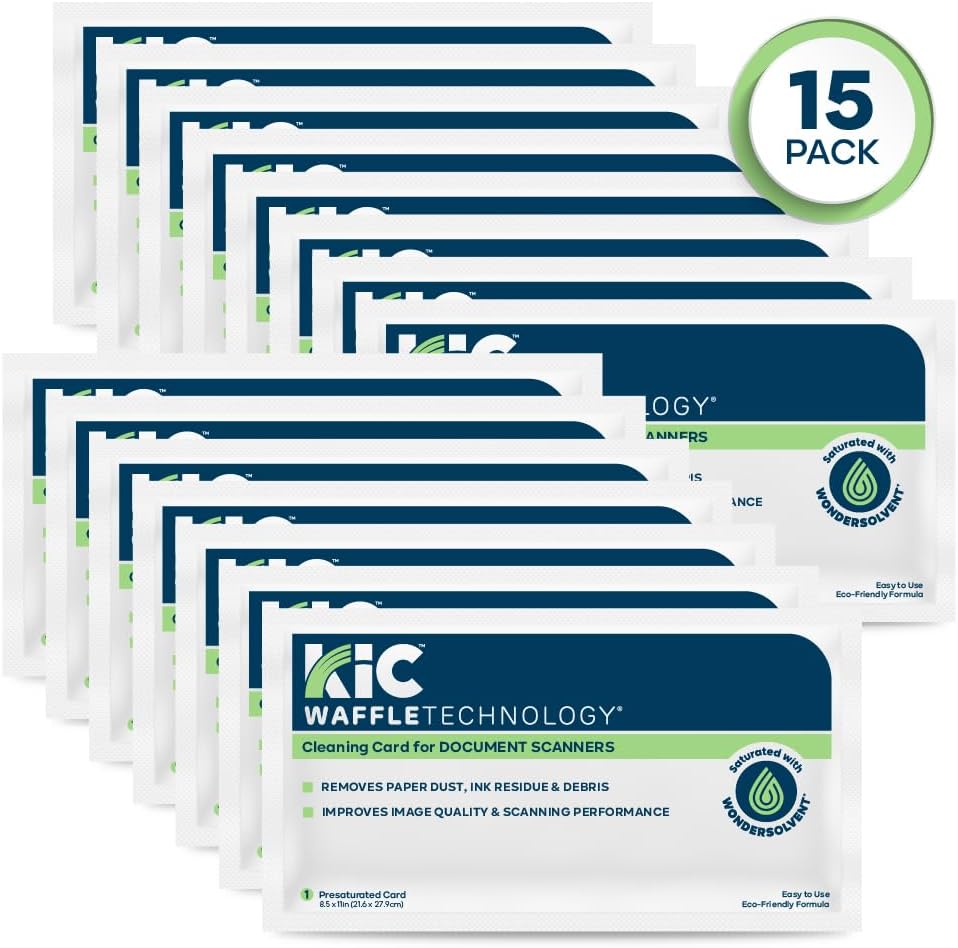
| EDITOR'S PICK[KICTeam - Waffletechnology® Cle…](https://www.amazon.com/dp/B01N4R4BOM?tag=greenflower20-20) | Mid-tier[Fujitsu 24 Cleaning Wipe - For…](https://www.amazon.com/dp/B00DIWGOK2?tag=greenflower20-20) | Budget pick14-in-1 Camera Lens Cleaning Ki… | |
|---|---|---|---|
| Intended Use | Scanner cleaning | Scanner cleaning | Camera/lens cleaning |
| Quantity | 15 cards | 24 wipes | 14 pieces |
| Pre-Saturated | ✓ | — | — |
| Made in USA | ✓ | — | — |
| Applicator Type | Cleaning card | Wipe | Swabs, cloth, brush |
| Price | $39.99 | $22.25 | $19.99 |
| See on Amazon → | See on Amazon → | See on Amazon → |
Why Consumables Wear Out Faster Than You Think
Most buyers evaluate scanners on speed (pages per minute), optical resolution (dots per inch, or DPI — how finely the sensor can resolve detail), and ADF capacity (automatic document feeder, the tray that holds and automatically advances a stack of pages). Consumables rarely appear in purchase decision spreadsheets. That’s a gap that costs operators real money.
Here’s what’s actually happening inside an ADF scanner during a high-volume day: paper dust, toner particles from laser-printed documents, skin oils from handled pages, and adhesive residue from sticky notes all accumulate on rollers and glass. Rubber rollers — the pick roller (which pulls the top sheet off the stack), the separation roller (which prevents two pages from feeding simultaneously, called a double-feed), and the brake roller (which resists the stack so only one sheet moves) — degrade from both mechanical friction and chemical contamination. The glass scan strip gets micro-scratched and smudged. The result is the full diagnostic spectrum: streaks from dirty or scratched glass, double-feeds from a worn separation roller, jams from a slipping pick roller, and skewed (angled) output from uneven roller wear.
The AIIM Document Scanning Best Practices guide (Association for Information and Image Management, 2022) explicitly identifies roller and glass maintenance as the leading preventable cause of image quality degradation in production ADF environments. PCMag’s ongoing document scanner reviews (Ziff Davis, 2025) consistently flag consumables replacement intervals as one of the most underread sections of scanner documentation — operators who ignore them report quality issues within months that could have been avoided.
The Core Cleaning Kit: What You Actually Need
Cleaning kits for ADF document scanners are not complicated, but the market is full of generic products that underperform or, worse, damage rubber rollers. Here’s how to evaluate what goes in your kit.
Isopropyl alcohol (IPA) wipes or solution, 70–99% concentration. IPA is the standard solvent for removing toner dust, oils, and adhesive residue from glass and rollers without leaving residue of its own. The Epson WorkForce ES Series Maintenance Manual (Seiko Epson Corporation, 2023) specifies IPA-based cleaning for both the glass strip and the ADF rollers. Important caveat: concentration matters. Below 70%, the water content is high enough to leave streaking on glass and can swell rubber rollers over repeated use. Above 99%, evaporation is so fast that contact time on rollers is reduced. For glass, 99% IPA on a lint-free cloth is optimal. For rubber rollers, 70–91% IPA is the range most manufacturers specify.
Lint-free cloths or foam swabs. Fiber contamination — lint left by a standard cotton cloth — is itself a streak source. Use lint-free microfiber cloths or purpose-made foam swabs for roller contact. Several scanner OEMs (original equipment manufacturers, meaning the brand that built your scanner) sell branded cleaning sheets — pre-moistened cards the size of a sheet of paper that you run through the ADF like a document. These reach rollers that are otherwise awkward to access manually. The Ricoh/Fujitsu fi Series Consumables Replacement Guide (Ricoh Company Ltd., 2024) recommends running a cleaning sheet every 1,000 pages in high-toner-dust environments.
Roller cleaning solution for persistent rubber contamination. If IPA isn’t breaking down a buildup on rollers — often from glossy paper coatings or synthetic documents — a dedicated roller cleaning solution (sold by vendors like Canon, Fujitsu, and third-party suppliers) uses a slightly different solvent profile designed to dissolve waxy or polymer-based contamination without drying out rubber. This is a situational product, not a daily-use one.
A blower bulb or compressed air (use sparingly). Useful for dislodging loose paper dust from inside the ADF path before wet cleaning. Do not use compressed air as a substitute for wet cleaning — it redistributes particles rather than removing them, and it can drive debris into the scanner’s sensor assembly.
Replacement Consumables: Rollers, Pads, and the Replacement Math
This is where the cost accounting matters. Every production-class ADF scanner ships with a rated consumable life, expressed in pages scanned, for each wear component. Meeting those intervals is not optional if you want consistent image quality and want to avoid voiding the manufacturer warranty on the paper path.
Typical replacement intervals by scanner tier (as of mid-2026):
| Scanner Class / Example Model | Pick Roller | Separation Roller / Pad | Brake Roller |
|---|---|---|---|
| Mid-volume office (Fujitsu ScanSnap iX1300) | ~100,000 pages | ~100,000 pages | N/A (pad design) |
| Departmental (Epson WorkForce ES-400 II) | ~100,000 pages | ~100,000 pages | ~100,000 pages |
| Production (Kodak Alaris S3060) | ~600,000 pages | ~200,000 pages | ~200,000 pages |
The Kodak Alaris S3000 Series Operator’s Guide (Kodak Alaris, 2023) provides per-component page-count thresholds and recommends tracking them via the scanner’s built-in page counter — a feature present on all production-class models. On departmental scanners, the page counter is often buried in the utility software; find it before you need it.
By the numbers — consumable cost per page at mid-2026 pricing:
- Fujitsu iX1300 roller kit (~$30 OEM): ~$0.0003/page at 100,000-page interval
- Epson ES-400 II roller kit (~$25 OEM): ~$0.00025/page at 100,000-page interval
- Kodak Alaris S3060 full consumable kit (~$180 OEM): ~$0.0002–$0.0009/page depending on component
The per-page cost is trivial. The cost of a missed interval — a service call, a day of rescanning, or a compliance audit triggered by degraded image quality — is not.
The Document Imaging Report (Corry Publishing, 2025) notes a growing pattern in enterprise scanner procurement: organizations that calculate total cost of ownership (TCO — the full cost of operating equipment over its lifespan, including consumables and labor) negotiate consumable kit volume pricing into their hardware purchase contracts, particularly for Kodak Alaris and Canon production-class deployments. If you’re sourcing five or more production scanners, that’s a lever worth pulling.
Building a Maintenance Schedule That Actually Gets Followed
The most common failure mode in scanner maintenance isn’t using the wrong product — it’s no schedule at all. Reactive cleaning (cleaning when you see a streak) means you’re already producing degraded output. Proactive cleaning prevents the streak from forming.
A practical cadence for production environments:
Daily (end of shift, takes 3–5 minutes): Run a cleaning sheet through the ADF. Wipe the scan glass with an IPA-dampened lint-free cloth. This handles toner dust accumulation and prevents the slow buildup that causes subtle, hard-to-diagnose streaking.
Weekly: Manual roller inspection and wipe-down. Open the ADF cover, rotate each accessible roller by hand, and wipe with IPA on a lint-free cloth. Look for glazing (a shiny, hardened surface on rubber rollers — this indicates the rubber is past its useful life and cleaning won’t restore grip) or flat spots (deformation from sitting idle under pressure).
At rated page intervals: Replace rollers per manufacturer specification. Track page counts in a shared log — a shared spreadsheet is sufficient. Don’t wait for symptoms.
Quarterly: Full internal inspection using compressed air followed by wet cleaning. Check the glass strip for micro-scratches (run a test scan of a plain white page at 300 DPI; a persistent thin line that survives cleaning indicates a scratched glass that needs replacement, not just cleaning).
For healthcare and financial services environments where document quality ties to compliance obligations (HIPAA for patient records, for example), the AIIM best practices guide recommends documenting maintenance events — date, technician, component cleaned or replaced, post-maintenance test scan — as part of the imaging chain’s quality record. A streak on a digitized medical form that wasn’t caught during QA is a compliance event, not just an image quality complaint.
OEM vs. Third-Party Consumables: The Real Tradeoff
Third-party roller kits and cleaning supplies are widely available at 30–60% of OEM pricing. The tradeoff is not always obvious from spec sheets alone.
Owners in long-run reviews of Fujitsu fi-series and Kodak Alaris S-series scanners consistently report that OEM rollers maintain consistent hardness and grip through their rated interval, while third-party alternatives often show accelerated glazing or dimensional inconsistency (rollers that aren’t precisely the right diameter, causing subtle double-feed rates to increase). For high-volume environments where rescanning cost is real, the OEM premium typically favors the math. For lower-volume departmental scanners — an Epson WorkForce ES-400 II running 200 pages a day — the risk calculus is different, and operators report acceptable performance from reputable third-party kits.
IPA wipes and cleaning solutions are generally safe to source from third parties; the chemistry is not proprietary, and concentration is the only variable that matters (stick to 70–91% for rollers, 99% for glass).
If X, Then Y: Decision Rules
If you’re seeing vertical streaks that persist after running a cleaning sheet: Clean the scan glass strip manually with 99% IPA and a lint-free cloth before escalating to any other diagnosis. This resolves the issue in the majority of streak complaints.
If you’re seeing double-feeds (two pages advancing simultaneously) more than once per 500 pages: Check your separation roller page count against the rated interval. If you’re within 80% of the rated life or past it, replace the roller — cleaning will not restore a glazed separation roller.
If you’re sourcing a new production scanner (Kodak Alaris S3060 or equivalent): Build a two-year consumable kit into the purchase negotiation. TCO math at production volume makes this straightforward to justify to procurement.
If you’re in a compliance-sensitive environment (healthcare, legal, financial services): Implement a documented maintenance log from day one. A quarterly audit of that log is simpler than reconstructing it after an incident.
If you’re running a mid-volume departmental scanner (Epson ES-400 II, Fujitsu iX1300) at moderate volume: A daily cleaning sheet run and quarterly manual roller wipe is sufficient. Set a calendar reminder at 80,000 pages to order the roller kit before you hit the rated interval, not after.
The hardware in your imaging workflow is only as reliable as the maintenance cadence behind it. The consumables cost is small. The output quality — and the compliance exposure — is not.